Thursday, 29 April 2010

Review Of The Presentation Day

After having to undergo last minute alterations to our buggy design and code, we we're in a decent position for the presentation on Tuesday afternoon. On our first trial of the test track Dr Thompson put together, the buggy seemed to make good progress - only to lose its way on the third corner of the track. After frantic attempts to re enter LDR values into our code, we eventually were forced to bow out. We then tried our hand at the two symbols. Needless to say the buggy didnt fair extremely well on these, but it gave valiant effort on the T-Junction exercise where it did stop, but failed to reverse. The buggy also turned the opposing way on the L symbol. Although the performance was disappointing, our buggy was among the relative 'high performers' on the day and hopefully the marks will be adjusted in a standardised fashion taking this into consideration.

Ive compiled a few reasons why maybe things didn't go to plan on the day of the presentation:

1. The Track-

It was made of cardboard of an off-white colour and some sort of thick belt like material put in place to act as a 'black line'. Our buggy simply wasn't able to follow this line effectively due to mechanical constraints of our front wheel/ ball bearing, and having tested the buggy on normal white paper with a seamless printed black line on this, it was always going to be a difficult task.

2. The Light-

The room lighting also affected the operation of the buggy, in particular the LDR's that are obviously crucial to the working capabilities of the buggy. My group actually calibrated the LDR's in a room that was no where near as bright as room 160 and in hindsight maybe should have taken this into consideration. We set binary values of 90 for both LDR's so that once reaching a value higher than this (i.e light levels were low) either the left or right motor would stop, bringing the buggy back on line with the black line. When we were in room 160 and went onto picaxe to re-calibrate, we were getting readings of 40 off of the black line, and only 75 on it, meaning that whilst conducting the trial, neither motor was receiving the 'stop signals' because the values we had were too high for that particular lighting in the room. We did attempt to turn the lights off in the room but consequently found out that room 160 is motion sensor -responsive, therefore making it impossible to turn the lights off.

3. The LDRs!!!

The LDRs themselves were not of the best quality and because of their sensitivity we had to keep changing the values of the program. In theory the program was perfect, but we just couldn't get it to perform in practise on the day, although we have video evidence of it working on our own track.

Feedback on the task as a whole:

The group worked well together and after many meetings managed to put together a good buggy design. We delegated tasks effectively and tried to share workload evenly, although naturally those who had more experience in the electronics area (Onwell & Raj) shone through and really took the buggy to a competitive level by providing direction in times of uncertainty so a big thanks to those two. As for improvements I would say that we probably should have used an extra LDR because of the accuracy benefits it brings. Instead of using two where effectively the LDR has to wait until it has come off the black line to start again and sort of over correcred itself and had to come back a number of times, the third LDR would act as an 'adjudicator' so if the buggy was going to over correct itself, this would stop the over correction and normal service would continue.

Wednesday, 28 April 2010

PICAXE Code - Line Following

This is the PICAXE code used for the buggy on the protoype testing day is shown below. It impliments the use of if....else command. Low's and High's are used to send outputs to the connected components such as the LED's and motors. It also uses sub-routines to keep the code neat and efficient as possible.


symbol switchstate = b0

main:

if switchstate = 0 then
debug switchstate ;used so we can see the state the swith b0 is in
goto program1


else
goto program2
endif

goto main


program1: ;used to follow the track

readadc 1, b1 ;reads and converts the analogue input from left LDR
debug b1 ;used to calibrate the left LDR
readadc 2, b2 ;reads and converts the analogue input from right LDR
debug b2 ;used to calibrate the right LDR


high 5 ;sends an output high to the two LED's
high 6

if b2 > 110 and b1 ;if the left LDR is on white and the right LDR on black

goto right
endif

if b2 <> 110 then ;if the left LDR is on black and the right LDR on white
goto left

else ;otherwise move forwards
goto straight

endif
goto main

program2: ;used to identify the symbols

readadc 1, b1 ;reads and converts the analogue input from left LDR
debug b1 ;used to calibrate the left LDR
readadc 2, b2 ;reads and converts the analogue input from right LDR
debug b2 ;used to calibrate the right LDR


high 5 ;sends an output high to the two LED's
high 6

if b2 > 110 and b1 > 110 then ;if the left LDR is on black and the right LDR on black
low 1 low 2 low 3 low 4 ;stay stationary for three seconds
pause 3000
endif

goto program2

if b2 > 110 and b1 ;if the left LDR is on white and the right LDR on black
goto left ;turn left for three seconds
endif

if b2 <> 110 then ;if the left LDR is on black and the right LDR on white
goto right ;turn right for three seconds

else ;otherwise move backwards
goto back
endif

goto main


straight:

low 1 high 2
low 3 high 4

goto main

right:


low 1 low 2 low 3 high 4
goto main

left:

low 1 high 2 low 3 low 4
goto main


back:

low 2 high 1 low 4 high 3
goto main

Tuesday, 27 April 2010

Buggy Following Magnetic Strip

This is a video preview of our buggy following the Magnetic Strip

The Completed Buggy

The images below show the completed buggy with all the components connected. They also show the improvements we made, such as the shield which blocks out ambient light. This final buggy also impliments the use of brighter white LED's instead of the red type used earlier. These provide better light and therefore increase the sensitivity of the LDR's. This change has lead to a significant improvement in line following performance.


Buggy Build Update

A couple of improvements have been made to the buggy in order to improve the performance of the line following.

We experienced problems with the LDR's not reading light the way we would have liked it to. Because the LDR's read all visible light, the sensitivity repeatedly changed in different ambient lighting conditions. At one time during testing the LDR's readings changed by 40 from around 100 to 60 when taking the buggy into different rooms. To solve this problem we incorperated the use of a shield which blocked ambient light from reching the LDR's. This shield was made from black card and was assembled around the two sensors. The black card reduces the reflection of the light from the LED's.
This means that only light from the LED's is reflected from the white surface to the LDR's, therefore improving the line following performance of the buggy.

Monday, 26 April 2010

Line following code ( First programme code)


Following the first test with the LED using the simple program shown in the video of the 1-04-2010, we came up with this first code to programme the buggy to follow the line.

The Above picture shows the first programme code

Analysis of the Programme (CODE).

Including debug in the programme, we wanted to view how the values included in the programme affected the manner in which the buggy will respond. This way it made it easy to adjust and hence modify the programme. Also, we decided to use a combination of "if...then" statements and sub-routines because we found this method of programming much easier to write and simple to undestand.
However, after writing this programme and programming the buggy, we found out a couple of errors with the code. Firstly, we discovered the range of values associated to the LDR (245, above and below) was quite large and the fluctations of the values hardly went up to 245. So making the values much smaller sounded very reasonable. Secondly, because the LDR was affected by the intensity of light at any one time of the day in a room, it was difficult to get a specific and accurate value to assign to the LDR since light conditions were not stable. Lastly, we noticed that whenever the buggy was moving it kept going in a circular path. After careful analysis we realised that the left and right sub-routines were interchanged.

Check out for the new and approved code with new values and improved sub-routines.

LED change

With the presentation looming our utter most concern is for the buggy to complete the course and this has led to some inspired last minute changes. So far throughout testing 2 red LEDs were being used with the intention of carrying these on to the presentation but unfortunately or rather fortunatelywe have discovered that we are these are causing calibration problems.

This is due to the red LED not providing enough constant elumination to the LDRs so as to maintain the same binary analogue values. This has led us to test and switch to using to white LEDs even though they are more costly. This is simplly because the illumination they give is far much superior that what we have been testing so far and therfore this should boost our line following chances and at the same time reduce the need for constant re-calibration.

Thursday, 22 April 2010

Circuitry Testing


This is full circuitry connected to test the code. this is the full set up of our buggy before being assembled to the chassis and using variable resistors as part of the analogue input. Just for testing sake we first used two LEDs as outputs instead of the driver board and two motor set up. This helped us test the code without having fully assembled the buggy.

We have decided to stick to the breadboard for our circuitry instead of other options such as circuit boards or smaller bread boards and this will help us keep the costs low for our buggy. This therefore means we will have to model the chassis around the full bread board.

After tests the circuitry worked and therefore the next step was to connected it up to the motor board and motors and again this worked beautifully using simple code to test the connections, meaning we are ready for assembly and programming the code into the chip.


Tuesday, 20 April 2010

Cicuitry

This is the circuitry used to run our buggy. Using an analogue input of LDRs connected via two 4.7k resistors instead of variable resistors so as to give us a more steady analogue value. This is then outputted to two motors connected through the motor driver board so as to control the direction for our buggy. Two LEDs are also used connected in series as outputs so as to give illumination to the LDRs.

Care has to be taken when assembling so as to keep away from frying the delicate chips or short circuiting.

Wednesday, 14 April 2010

Line following Problems

Over the last few days we've been experiencing problems getting the buggy to follow the line.
Mainly because we need to think about three scenarios.
1. When the left Ldr is above white paper
2. When the left Ldr is covered by the line
3. When the Right Ldr is above white paper
4. When the Right Ldr is covered by the line.

Due to the nature of the first program, we dont require any reversing of any wheels at any time although some groups have opted to reverse either one of the wheels if its relative LDR cross onto the black line, as a way of getting it to turn back into the path require.

We have opted for a simple 'stop' of the relative wheel. So for example, if the Ldr controlling the right wheel crossed onto the black line, this wheel would stop motion while the other wheel would continue to travel, effectively using the stopped wheel as a pivot for motion. This would bring the directed path of the buggy back to where we want it.

The four scenarios are all independent of eachother at this moment in time except for obviously both Ldrs being above white paper, where we have set a command of just going straight for this scenario. I'll upload the video of this pivoting in practise after this.

Monday, 12 April 2010

Buggy Build Update

Now that the chassis for the buggy is complete we started to mount the breadboard and circuitary.


The breadboard is the largest component, so we have decided to mount it along the top of the chassis in between the two wheels.

The PICAXE project board is mounted above the breadboard to avoid a short circuit. This also improves the aesthetics of the design as it now ressembles a RC Buggy.

The motors are mounted onto the bottom of the chassis in order to keep maximum space available across the top for the breadboard.

The battery back is mounted off the back of the PICAXE project board. The reason for this is so that the wheels have increased traction because of the load being directly over the wheels.

The LED's and LDR's are connected to the front end of the breadboard, in order to keep the circuitary neat. This also means the length of the wires used to connect each component can be shorter.
The sensing system being a fair distance from the motors improves the performence of the buggy. This is because the motors need to turn less when correcting itself whilst following the line. The motor turning less, decreases the angle of correction and would therefore increase the line following speed and accuracy of the buggy.

Saturday, 10 April 2010

Floating Role

This is just addressed to Dr Thompson.
On reading my posts you may wonder exactly what role I had in this group, but because i am the 6th member of the group I just took on a floating role and commented and helped in all areas. Just to avoid any confusion I posted this.

Buggy Build Update

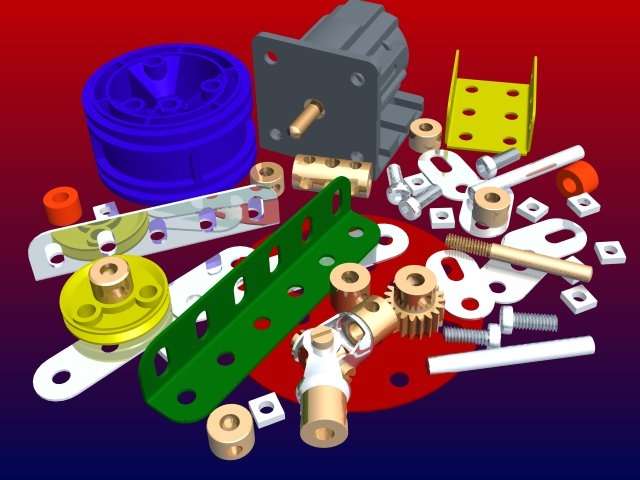
We have now constructed a prototype version of the buggy using some Mechano type hardware bought from 'the entertainer' (no reinburstment Dr Thompson?). We have developed a chassis where the circuit board will be mounted on top and attached the two motors we are using to power the large yellow wheels to the underside of the chassis. For directional stability we have attached a ball that is moveable in all directions, to the front of the design.


Tuesday, 6 April 2010

Manufacture Of The Chassis

The chassis will be used as a base to mount all of the individual components we will be using, such as the wheels, the motors and circuitry.

As a group we thought of many different ideas for the chassis, including the use of lego, acrylic sheet and cardboard. The list was narrowed down as we thought most of these ideas were not feasible for a number of reasons, such as rigidity and being difficult to build.

Three ideas were selected to be feasible, one of them being a used RC buggy chassis and the other two employing the use of meccano and plywood.


The used RC buggy was specifically designed for a purpose by its manufacturer. Hence the holes and mounts on the chassis. If this was selected the holes and mounts would get in the way of our circuitry. The holes also look visually unappealing.


Choosing to manufacturer the buggy
chassis using plywood gives us more freedom to change the chassis to fit the circuitry. However, once the chassis has been manufactured to fit it is difficult to adapt it, therefore a new chassis would need to be built.

Using meccano to build the chassis is the most feasible and practical idea because it holds no limitations. If the design of the chssis needs to be changed at any point it can easily be done. Also, meccano would be the most visually appealing chassis out of the three pictured above.


Thursday, 1 April 2010

Choosing Input Sensing Method

As the objective of the project is for the buggy to follow the line, we will be using 1 of 2 inputs to send a signal to the motors when the is a change in light intensity. The choice we have is between using LDRs to send a signal when light intensity changes or Magnetic Reed Switches to send a signal when the magnetic strip is detected.

To help us make the best choice we set up a simple circuit outputting the LDR/Reed Switch to a simple LED to represent our motor.


Having carried out this test it was easy to make the decision that LDRs would be used as our input. We decided to use 2 LDRs which will be used in series with LEDs to send an input into the chip when the magnetic strip is sensed.